60
seconds
3D typing games
6 typing games built as real 3D scenes, all free in your browser: fly a fighter, play lead in a band, race a car or defuse a bomb, using nothing but your typing.
All 6 3D typing games
All 26 games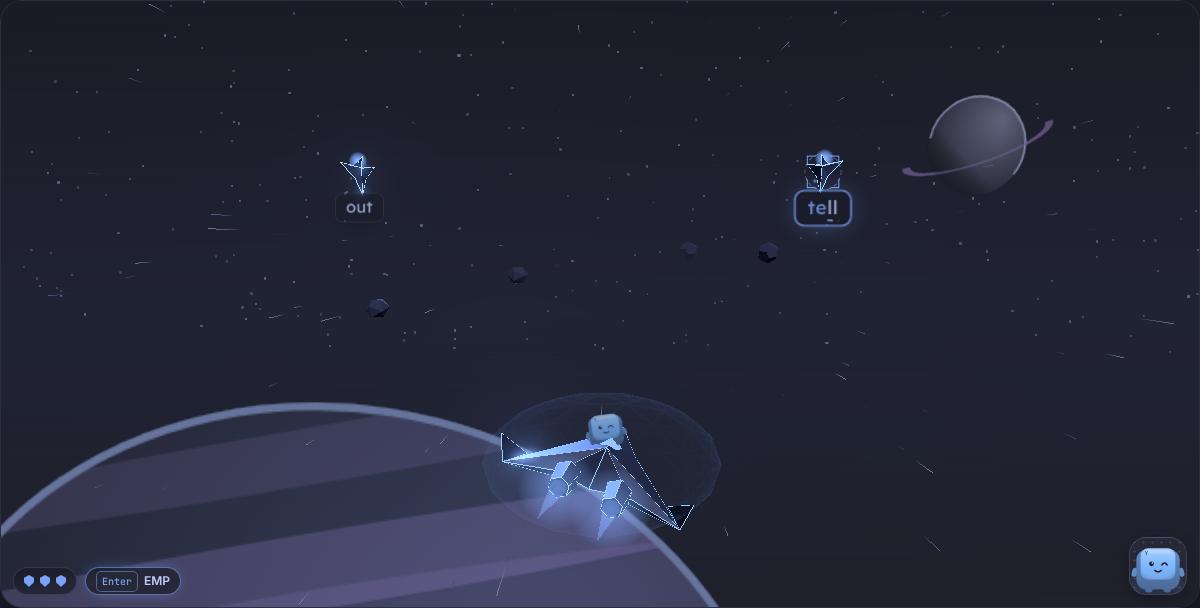 3D
Starfall
A 3D space shooter you fly with your keyboard: type the word on an enemy ship to blast it, and fit a new upgrade after every wave.
3D
Starfall
A 3D space shooter you fly with your keyboard: type the word on an enemy ship to blast it, and fit a new upgrade after every wave.
 3D
Stack
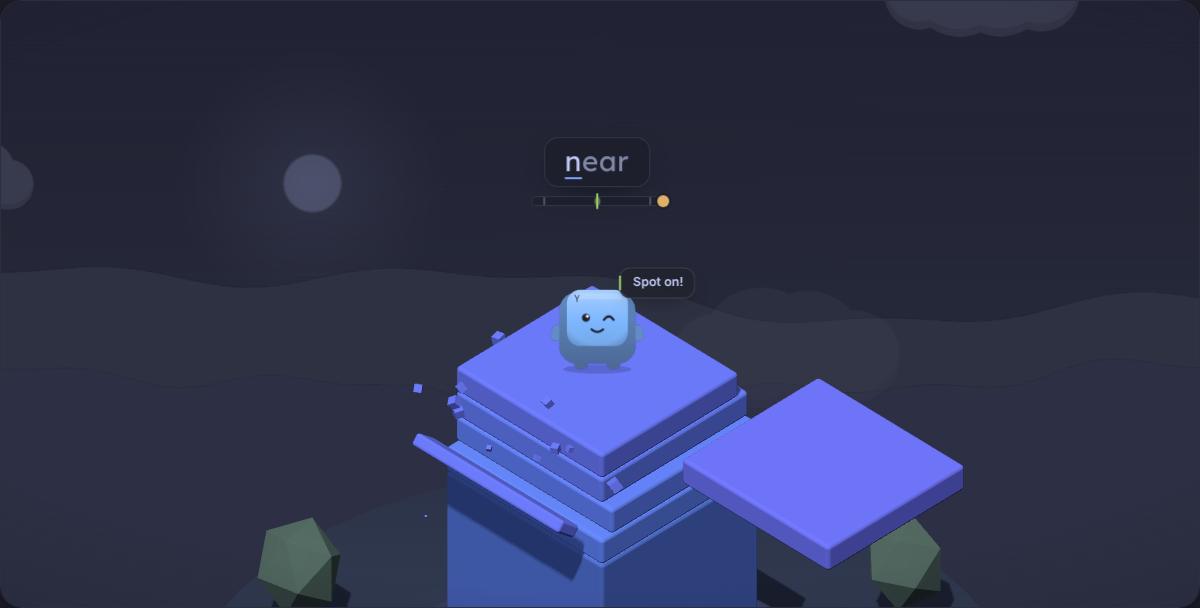
Ride each swinging slab with your character and type to calm it, then drop it dead centre to build the tallest tower you can.
3D
Stack
Ride each swinging slab with your character and type to calm it, then drop it dead centre to build the tallest tower you can.
 3D
Key Hero
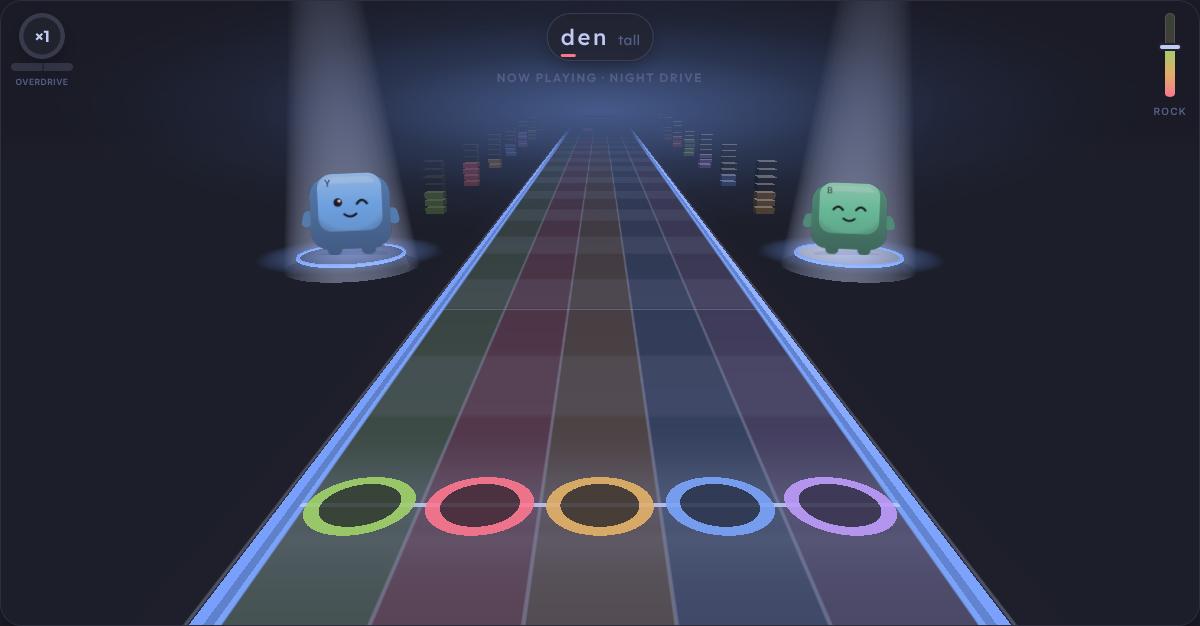
A rhythm game on a 3D note highway: type each letter as its gem crosses the line while your character fronts the band.
3D
Key Hero
A rhythm game on a 3D note highway: type each letter as its gem crosses the line while your character fronts the band.
 3D
Key Reflex
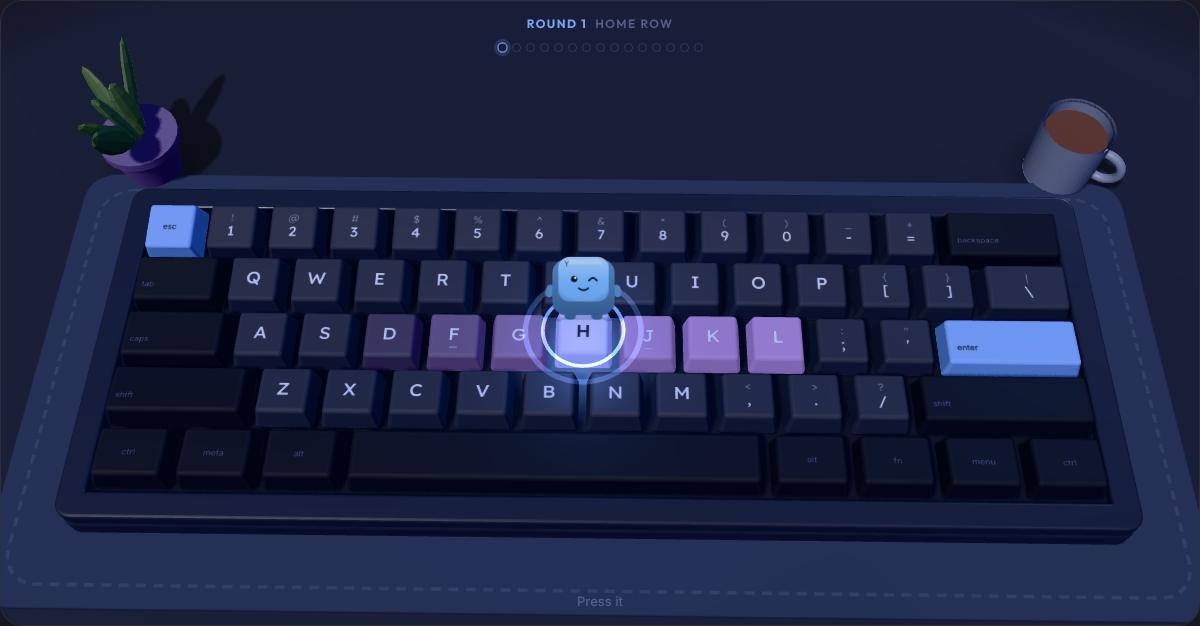
Your keycap character pops up on a 3D keyboard. Boop it as fast as you can, but leave the gremlin alone.
3D
Key Reflex
Your keycap character pops up on a 3D keyboard. Boop it as fast as you can, but leave the gremlin alone.
 3D
Nitro
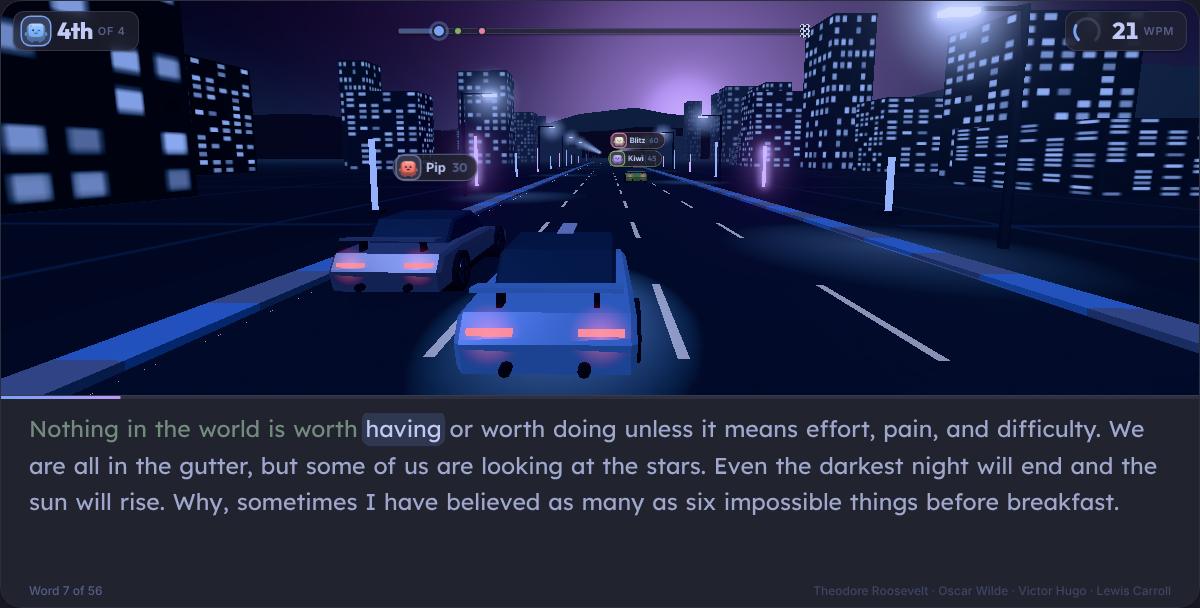
A 3D street race where your typing is the engine. Beat three keycap rivals to the flag.
3D
Nitro
A 3D street race where your typing is the engine. Beat three keycap rivals to the flag.
 3D
Bomb Defusal
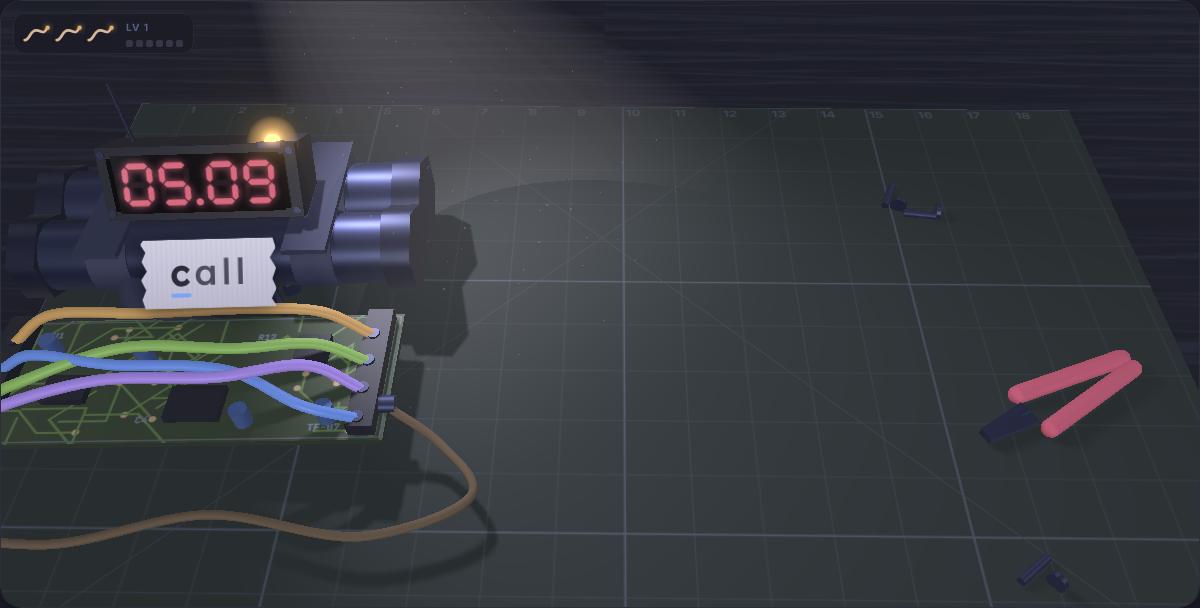
A bomb on a workbench, a strip of tape and a fuse burning down. Type what the tape says before the red display hits zero.
3D
Bomb Defusal
A bomb on a workbench, a strip of tape and a fuse burning down. Type what the tape says before the red display hits zero.
What are 3D typing games?
They are typing games set in real three-dimensional scenes rather than flat screens: a corridor of stars, a note highway, a street with rival cars. Your typing is the only controller. Each correct letter fires a shot, plays a note or moves the car, so the game shows you, moment by moment, how quick and how clean your typing is.
Which 3D typing game should I play first?
| If you like | Play | Good for |
|---|---|---|
| Arcade shooters | Starfall | Speed and accuracy under pressure |
| Music and rhythm games | Key Hero | Even timing |
| Racing | Nitro | Sustained speed on real text |
| Calm puzzle games | Stack | Rhythm and control |
| Reaction tests | Key Reflex | Finding keys without looking |
| Tension | Bomb Defusal | Accuracy against the clock |
Starfall: a 3D space shooter
Starfall is a free 3D space shooter on Presspace that you fly with your keyboard. Waves of enemy ships dive at you down a corridor of stars, each carrying a word: type it and your fighter fires, one bolt per letter, until the ship comes apart. Miss too many and your shield starts to crack.
What it trains: Fast, accurate words under pressure, and choosing a target and committing to it.
Controls:
- Enemy ships carry words. Type the first letter of one to lock on; each correct letter fires a shot.
- Finish the word to destroy the ship. A wrong letter is a miss and resets your combo. Esc or Backspace lets go of a lock.
- Ships that reach you crack your shield. You have three. Gunships drop letter mines: type the letter to shoot one down.
- Press Enter once per wave for an EMP. After each wave, press 1, 2 or 3 to fit an upgrade. Every fifth wave brings a mothership.
Stack: a 3D tower builder
Stack is a free 3D tower building game on Presspace that you play by typing. A slab swings over your tower with a word above it: type the word and the swing calms, finish it and the slab drops. Land it straight and the tower keeps its width. Land it crooked and the overhang is cut off for good.
What it trains: Steady, even rhythm: a calm, accurate word lands straighter than a fast, sloppy one.
Controls:
- A slab swings over the tower with a word above it. Every correct letter calms the swing; a wrong key kicks it outward.
- The last letter drops the slab where it is. Whatever hangs over the edge is sliced off, and the next slab is that much smaller.
- Land within a hair of the centre for a perfect. Three perfects in a row grow the slab back a little.
- Every eighth floor is a gold slab: land it perfect to win back a big piece of width. The run ends when a slab misses or the tower gets too thin.
Key Hero: a 3D rhythm game
Key Hero is a free rhythm game on Presspace where every note is a letter. Words come down a glowing 3D note highway as letter gems while a band plays underneath: type each letter right as its gem reaches the line and the melody plays itself. Miss too many and the song falls apart.
What it trains: Timing and rhythm, one letter at a time, which is the root of smooth typing.
Controls:
- Words ride the highway as letter gems. Type each letter as its gem crosses the hit line.
- Timing is judged: Perfect, Great or Good. Wrong keys and missed gems break your combo.
- Every 10 notes raises the multiplier, up to ×4. Perfect streaks fill Overdrive: press Enter for double points.
- Misses drain the rock meter. Keep it up until the last chord to clear the song and earn a grade. Each run plays one of four songs.
Key Reflex: a reaction test on a 3D keyboard
Key Reflex is a free keyboard reaction time test on Presspace. A key on a 3D keyboard lights up, you press it, and the game times you in milliseconds over three rounds, then paints the whole keyboard with how fast you found each key.
What it trains: Finding any key without looking, and how fast you react to it.
Controls:
- Your character pops up on a key. Press that key as fast as you can to boop it back down.
- From round 2 a gremlin sometimes appears on a red key. Press nothing until it ducks away, or it costs +250 ms.
- Wrong key: +250 ms and the target stays. Pressing before anything appears is a false start.
- Round 3 is the whole board, and some targets are pairs: you hop to a second key, hit both.
Nitro: a 3D street race
Nitro is a free 3D typing race game on Presspace where your fingers drive the car. You line up on a four-lane street with three rival cars and a passage of real quotes, and your car moves exactly as fast as you type, so the race shows you how quick and how clean your typing really is.
What it trains: Sustained speed on real sentences, with an honest net WPM at the finish.
Controls:
- Type the passage to drive. Every correct letter moves your car forward.
- Press Space to finish a word. A word with a red letter will not go through until you fix it with Backspace.
- Three rivals hold steady paces: 30, 45 and 60 wpm on Standard, 55, 75 and 95 on Advanced.
- Cross the line first. If every rival finishes, you have six seconds before the finish closes.
Bomb Defusal: a 3D bomb defusal game
Bomb Defusal is a free 3D typing game on Presspace: type the word before the fuse runs out. A device slides onto a workbench under a desk lamp, a red display starts counting down, a fuse cord burns and there is one word on a strip of tape. Type it and the display flashes green. Miss the deadline and the lamp goes out in a white flash.
What it trains: Accuracy against a clock, including capitals, numbers and passphrases.
Controls:
- Each device has one word taped to it. Type it before the red display reaches 00.00.
- A wrong letter snaps a wire and burns half a second off the fuse.
- Every six defusals the level goes up: a shorter fuse and a new kind of bomb with its own tape: a word, a passphrase, a code with numbers or a word with a capital.
- Three detonations end the round. You can start typing while the next device is still sliding in.
Will 3D typing games run on my device?
They run in any modern browser that supports WebGL, which includes current Chrome, Edge, Firefox and Safari on computers, tablets and phones. The scenes are kept light, so a school Chromebook or an older laptop is usually fine. If you see a message that a game needs WebGL, switch on hardware acceleration in your browser's settings, or try another browser. A physical keyboard makes the faster levels much easier.
Prefer something flat and gentle? There are 26 typing games in all, including balloon popping, fishing and a word search, on the typing games page, and a shortlist for younger players on typing games for kids.
Advertisements
Questions people ask
Are the 3D typing games free?
Yes. All 6 are free and run in your browser with no download and no account. Signing in only puts your scores on the leaderboards and saves them across devices.
Do 3D typing games work on a Chromebook or an old laptop?
Usually, yes. They need WebGL, which every modern browser has, and the scenes are kept light so they stay smooth on modest hardware. If a game says it needs WebGL, turn on hardware acceleration in your browser settings or try another browser.
Can I play 3D typing games on a phone or tablet?
Most of them, yes. The scenes scale down to small screens and work with the on-screen keyboard. The faster levels are much easier with a physical keyboard, and a tablet with a keyboard case works well.
Do the 3D games count towards my typing speed?
Each game keeps its own score and its own leaderboard rather than changing your typing test results. Nitro is the closest to a test: your score there is net words per minute over the race.
Which 3D typing game is best for beginners?
Stack and Key Reflex are the gentlest. Stack only asks for one word at a time and rewards calm typing, and Key Reflex is about finding single keys. Starfall and Key Hero get fast quickly, so try them once you are comfortable.
Keep going
1 minute test
The standard benchmark.
5 minute test
Endurance and pacing.
Typing games
26 games, including a 3D space shooter and a rhythm game.
Typing challenges
25 challenges that bend the test: mirror, read ahead, one hand.
Learn
Guides to typing faster and more comfortably.
Typing tests by length: 15 second typing test · 30 second test · 1 minute typing test · 2 minute test · 5 minute typing test · 10 minute test · custom text
In other languages: Spanish typing test · French typing test · German typing test · Portuguese typing test · Italian typing test · Test de mecanografía en español · Teste de digitação em português